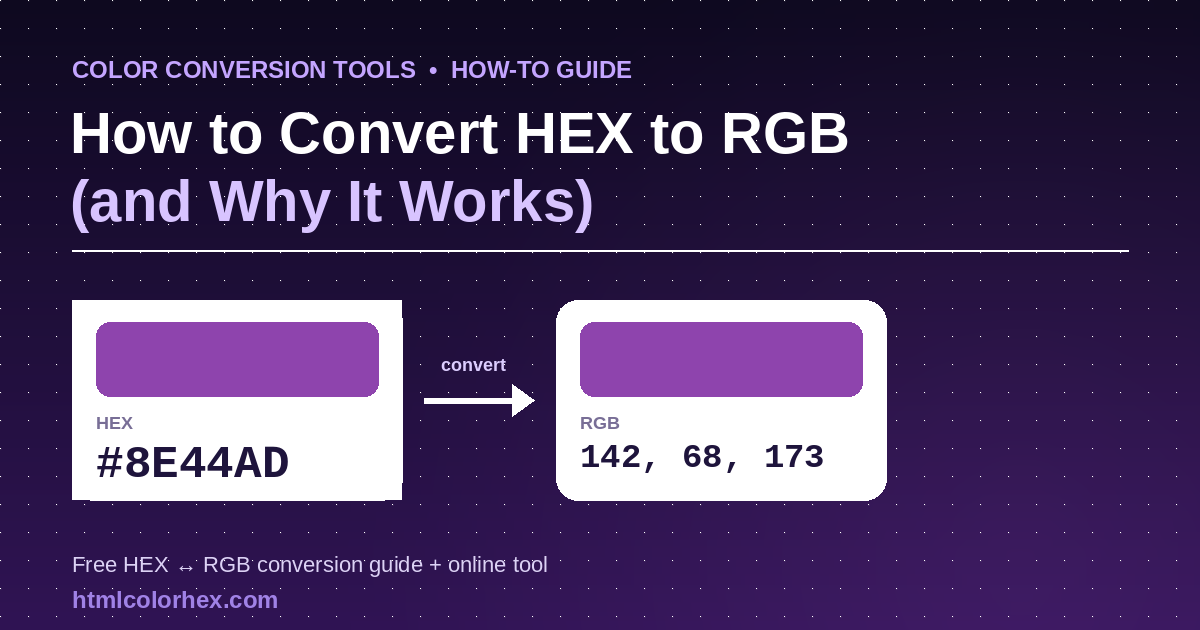
Color Conversion Tools · How-To Guide
How to Convert HEX to RGB (and Why the Formula Works)
Every color on a screen is stored as numbers. HEX and RGB are just two different ways of writing the same numbers down — here's the formula, the math behind it, and a live converter you can try right now.
Every color you see on a screen, from a website's brand blue to a single emoji, is stored as numbers. HEX and RGB are simply two different ways of writing down the same numbers. This guide shows you exactly how to convert hex to RGB by hand, why the base-16 math behind it works the way it does, and where you can convert hex code to RGB instantly if you'd rather skip the arithmetic.
What HEX and RGB Actually Represent
Before converting anything, it helps to know what the two formats encode. Both HEX and RGB describe the same thing: how much red, green, and blue light a pixel emits. Screens are additive light sources, so mixing red, green, and blue light at different intensities produces every color you see — from #000000 (no light, black) to #FFFFFF (full red, green, and blue light, white).
RGB: three numbers, 0–255 each
RGB stands for Red, Green, Blue. Each channel is stored as an 8-bit number, meaning it can hold 256 possible values, from 0 (no light) to 255 (maximum light). A color is written as rgb(red, green, blue), for example rgb(46, 204, 113) for a shade of emerald green.
HEX: the same three numbers, written in base 16
A hex color code is a six-character string, such as #2ECC71, prefixed with a #. It's split into three two-character pairs — one each for red, green, and blue — but each pair is written in hexadecimal (base 16) instead of decimal (base 10). Hexadecimal uses sixteen symbols: 0–9 for zero through nine, and A–F for ten through fifteen.
The HEX to RGB Conversion Formula
Every hex color code follows the same structure: #RRGGBB, where RR, GG, and BB are two-digit hexadecimal numbers for red, green, and blue. To convert each pair to its decimal (0–255) equivalent, use this formula:
Each hex digit has a fixed decimal value:
- 0–9 → 0 through 9 (same as decimal)
- A → 10, B → 11, C → 12, D → 13, E → 14, F → 15
So for a pair like “2E”: the first digit “2” is worth 2, and the second digit “E” is worth 14. Plug those into the formula: (2 × 16) + 14 = 32 + 14 = 46. That's the red — or green, or blue — value for that pair.
Step-by-Step: Converting a HEX Code to RGB by Hand
- Remove the # symbol. #2ECC71 becomes 2ECC71.
- Split the six characters into three pairs: 2E, CC, 71.
- Convert the first pair (red): 2E → (2 × 16) + 14 = 46.
- Convert the second pair (green): CC → (12 × 16) + 12 = 204.
- Convert the third pair (blue): 71 → (7 × 16) + 1 = 113.
- Write the result as RGB: rgb(46, 204, 113).
That's the entire process — it's arithmetic, not approximation, which is why the two formats are always perfectly interchangeable for a standard 6-digit hex code.
Try It Yourself: Live HEX → RGB Converter
Convert a hex code to RGB instantly
Type a hex code or pick a color — the RGB and HSL values update as you go. Runs entirely in your browser, nothing is sent anywhere.
Worked Examples with Color Swatches
Here are five more hex codes converted to RGB, so you can check your own math against real results and see the actual colors side by side.
Why the Formula Works: The Math Behind Hexadecimal
Hexadecimal is a positional number system, just like the decimal system you use every day — it just counts in groups of 16 instead of groups of 10. In decimal, the two-digit number “46” means (4 × 10) + 6. In hexadecimal, the two-digit number “2E” means (2 × 16) + 14, because each position represents a power of 16 rather than a power of 10.
This is exactly why the conversion formula works: a two-digit hex pair can express any value from 0 (“00”) to 255 (“FF”), and 0–255 happens to be the exact range of an 8-bit color channel. Computers store color data in binary and bytes, and hexadecimal was adopted as a human-friendly shorthand for binary because each hex digit maps neatly onto exactly four binary bits (2⁴ = 16). Two hex digits therefore represent one full byte — one color channel — with no rounding or loss.
Does Converting HEX to RGB Lose Accuracy?
No — for a standard 6-digit hex code, converting to RGB and back is completely lossless. Both formats store the same 24-bit number (8 bits per channel); hex just writes it in base 16 and RGB writes it in base 10. Where accuracy questions do come up:
- 3-digit shorthand hex (like #2E7) expands each digit by doubling it (2→22, E→EE, 7→77), so it can only represent 4,096 of the 16.7 million colors a 6-digit hex code can — it's a real limitation, not a rounding error.
- HSL and HSV conversions involve trigonometric-style calculations that are often rounded to whole numbers for display, which can shift a color by a barely perceptible amount — try the HEX to HSL converter to see the exact values for any color.
- 8-digit hex codes (#RRGGBBAA) add an alpha/transparency channel — converting only the color portion is still lossless, but forgetting the alpha pair will change how the color renders against a background.
HEX, RGB, and HSL Quick-Reference Table
Use this table as a quick cross-reference between the three formats for a handful of common colors. If you need to go the other direction, the HEX to HSL tool converts any code you paste in.
| Swatch | HEX | RGB | HSL | Name |
|---|---|---|---|---|
| #FFFFFF | 255, 255, 255 | 0°, 0%, 100% | White | |
| #000000 | 0, 0, 0 | 0°, 0%, 0% | Black | |
| #FF0000 | 255, 0, 0 | 0°, 100%, 50% | Red | |
| #00FF00 | 0, 255, 0 | 120°, 100%, 50% | Lime | |
| #0000FF | 0, 0, 255 | 240°, 100%, 50% | Blue | |
| #808080 | 128, 128, 128 | 0°, 0%, 50% | Mid Gray | |
| #3498DB | 52, 152, 219 | 204°, 70%, 53% | Peter River Blue |
Convert HEX to RGB Instantly with a Free Online Tool
Manual conversion is useful to understand, but for day-to-day design and development work, an online hex to RGB converter online free tool is faster and eliminates arithmetic mistakes.
The HEX to RGB converter on HTMLColorHex.com gives you RGB, HSL, and CMYK values plus a live swatch and palette tools — one of the best hex to RGB converter online options when you need to convert hex code to RGB without doing the math.
Open the free converter →- Hex to RGB — the tool used throughout this guide, for pasting a hex code and reading off RGB values.
- Hex to HSL — useful when you need hue, saturation, and lightness for design systems or CSS variables.
- RGB ↔ CMYK — for print work, where colors need to be expressed as cyan, magenta, yellow, and key (black) instead of light-based RGB.
A Note on Color Accessibility
Once you know a color's RGB values, you can also check whether it's accessible when paired with text or a background. The W3C's WCAG 2.1 guidelines define a color's relative luminance using the linearized, gamma-corrected RGB values, weighted by how sensitive the human eye is to each channel — roughly 21% for red, 72% for green, and only 7% for blue, since the eye is most sensitive to green light. That luminance value is then used to calculate a contrast ratio between two colors, which should be at least 4.5:1 for normal body text under WCAG AA. Converting your brand colors from hex to RGB is often the first step toward running that kind of accessibility check.
Frequently Asked Questions
How do I convert a hex code to RGB by hand?
Split the six-digit hex code into three pairs (RR, GG, BB). Convert each pair from base-16 to base-10 using the formula (first digit × 16) + second digit. The three results, each between 0 and 255, are your red, green, and blue values. For example, #2ECC71 splits into 2E, CC, and 71, which convert to 46, 204, and 113.
What is the formula to convert HEX to RGB?
For a two-character hex pair with digits d1 and d2, the decimal value is d1 × 16 + d2, where each hex digit (0–9, A–F) maps to a value of 0–15. Apply this once for each of the three color pairs in a 6-digit hex code to get red, green, and blue.
Is there a free online tool to convert hex to RGB?
Yes. Free browser-based converters, including the HEX to RGB tool on HTMLColorHex.com, do this instantly: paste or pick a hex code and the RGB (and usually HSL) values appear immediately, with no signup or software install needed.
Does converting hex to RGB lose accuracy?
No. A standard 6-digit hex code and its 0–255 RGB equivalent describe the exact same 24-bit sRGB color; the conversion is a lossless change of number base, not an approximation. Accuracy can only be lost if you round intermediate values in HSL/HSV conversions or use the 3-digit hex shorthand, which itself only represents a smaller set of colors.
What's the difference between HEX, RGB, and RGBA?
HEX and RGB both describe the same three-channel sRGB color, just in different notations (base-16 string vs. base-10 numbers). RGBA adds a fourth value, alpha, which controls transparency from 0 (fully transparent) to 1 (fully opaque) and has no bearing on the color's hue, saturation, or brightness.
Key Takeaways
- HEX and RGB encode the exact same color data — hex in base 16, RGB in base 10 — so converting between them is exact, not approximate.
- The formula is simple: for each hex pair, decimal value = (first digit × 16) + second digit.
- A 6-digit hex code can express 16.7 million colors because two hex digits (256 combinations) match the 0–255 range of an 8-bit color channel.
- Accuracy issues come from shorthand 3-digit hex or rounded HSL conversions, not from the HEX↔RGB relationship itself.
- For quick conversions without manual math, a free hex to RGB converter online, such as the tool at HTMLColorHex.com, does the calculation instantly and shows a live swatch.